
Session Replays
Session replays let you watch what a visitor actually did on your lander — mouse movement, scrolling, clicks, and DOM changes — reconstructed from rrweb recordings. Everything is captured by the same pixel you already embed, streamed to your own server, and replayed inside the admin. Nothing leaves your infrastructure.
How recording works
Section titled “How recording works”When the pixel loads on a lander it starts an rrweb recorder alongside the usual pageview event. rrweb serialises the initial DOM and then a stream of incremental mutations. The pixel batches these events into chunks and posts each chunk to the TDS as the visit progresses, so a long session surfaces incrementally rather than only when the tab closes.
Each chunk is a small POST /p/rec request:
| Field | Type | Notes |
|---|---|---|
c | string | Campaign slug — required |
sid | string | Client session id (UUID) — required |
seq | int | Chunk sequence number within the session |
events | array | rrweb events for this chunk |
fp | string | FingerprintJS CE visitorId, when available |
ref | string | Referrer URL |
Responses: 400 if c or sid is missing, otherwise 204. Unknown slugs and oversized bodies (a single chunk is capped at 2 MiB) are accepted and silently dropped — the endpoint never reveals which slugs exist. /p/rec shares the pixel’s permissive CORS so it works from any external lander domain, and the visitor’s vu cookie is read to tie the recording back to the same visitor UUID used elsewhere in the pipeline.
Processing
Section titled “Processing”Like the pixel event path, recording never does heavy work in the request thread. Each chunk is staged in the stats.rrweb_inbox table and the rrweb:flush cron command drains it:
- Runs every minute with a ~55-second inner loop, re-polling every 5 seconds, so recordings become watchable in the admin within a few seconds of arrival.
- Each chunk’s events are gzipped and appended to
stats.rrweb_chunks. - A row per session is upserted into
stats.rrweb_sessions, enriched with GeoIP country, device, OS, and browser from the chunk’s IP and User-Agent. Duration is derived from the first and last rrweb event timestamps; the page URL is taken from the recording’s first Meta event; chunk/event counts and stored bytes accumulate as more chunks arrive. - Chunks whose
sidis not a valid UUID, or whose campaign no longer exists, are dropped so one bad row can’t poison a batch.
Viewing replays
Section titled “Viewing replays”The admin Sessions view lives at /admin/sessions. It lists recorded sessions newest-first and can be filtered by campaign, fingerprint (fp), domain, country, browser, OS, device, and traffic source. By default sessions shorter than 3 seconds are hidden (add min_dur=0 to the URL to show everything), and the list is sortable by start time or duration.
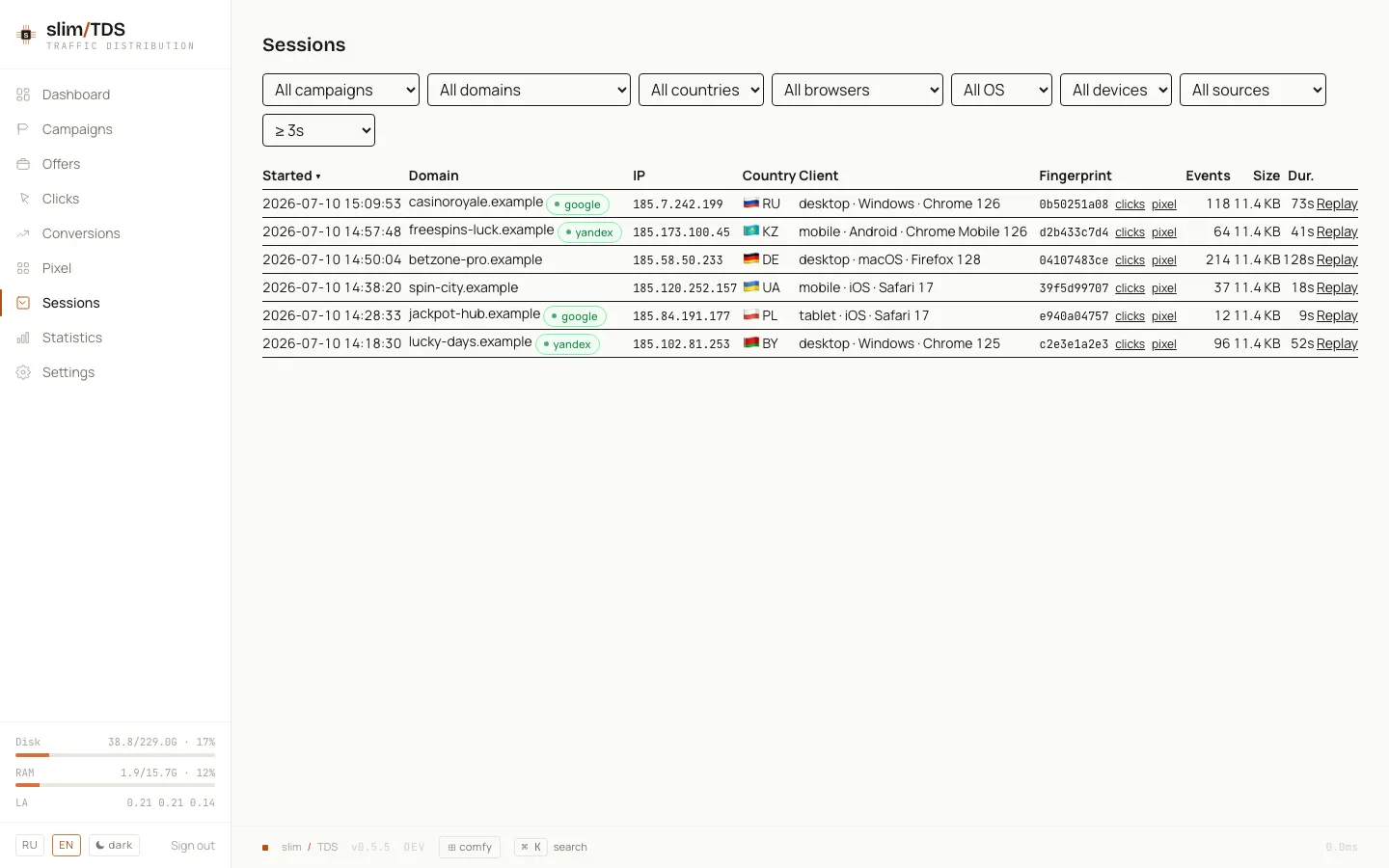
Traffic source is resolved from the session’s own referer, falling back to the referer of the visitor’s pixel events (joined on the fingerprint) when the recording itself carries none.
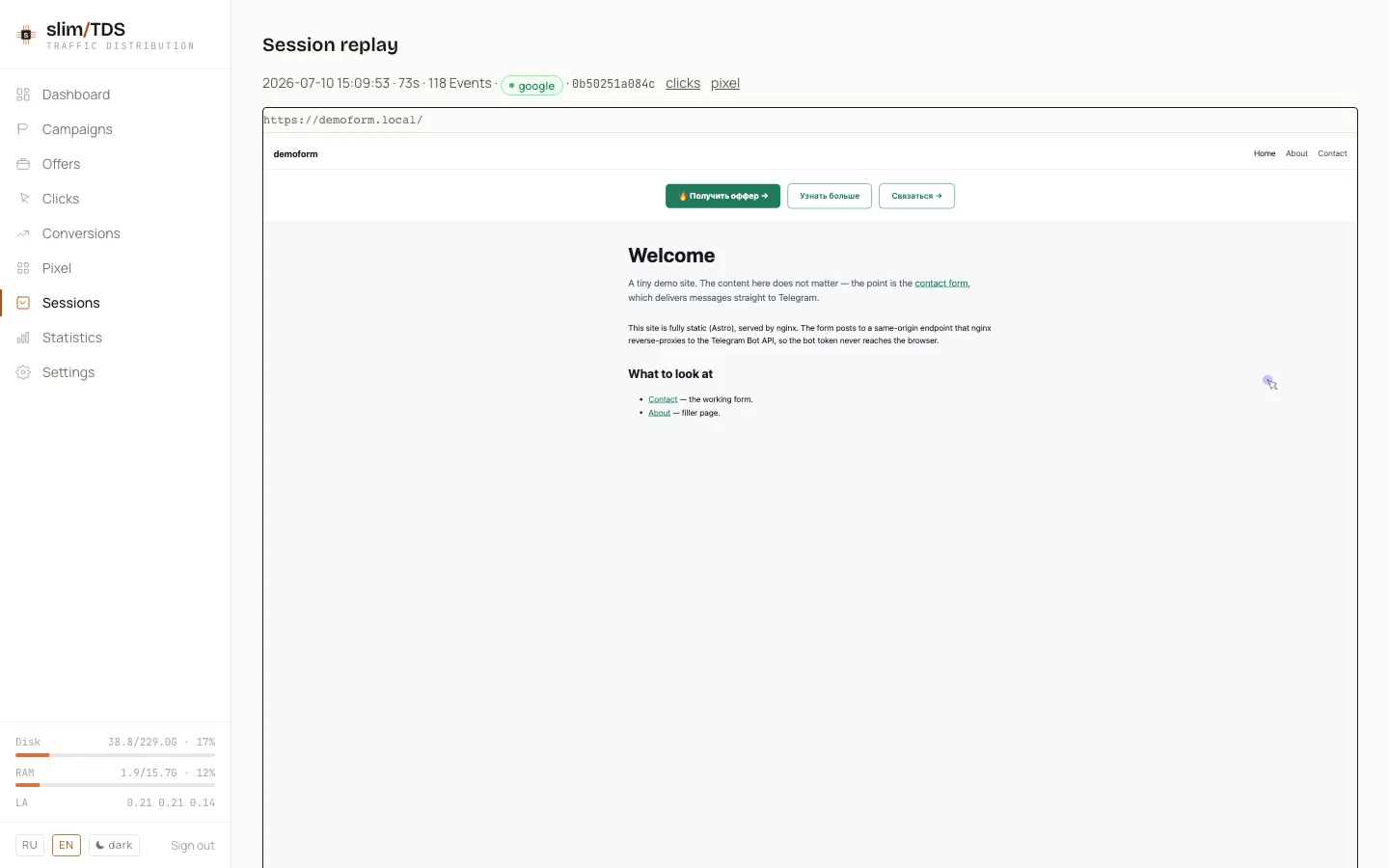
Opening a session plays the recording back in an embedded rrweb player — scrub the timeline, follow the cursor, and see exactly where a visitor hesitated or bounced.
Storage & retention
Section titled “Storage & retention”stats.rrweb_chunks is partitioned daily by created_at; partitions:rotate creates the day-ahead partition, drops partitions past the retention window, and prunes stale stats.rrweb_sessions rows (see Operations). Because recordings are stored gzipped in your own PostgreSQL, replay data stays entirely self-hosted — no third-party session-recording service is involved.