Campaigns
A campaign is the unit you build your traffic around. It owns a live URL /<slug>, a set of ordered flows that decide which offer each visitor sees, and the fallback behaviour for traffic that fits nowhere. This page walks through configuring one end to end in the admin workspace.
Creating a campaign
Section titled “Creating a campaign”Create a campaign from the campaigns list. The form is short:
| Field | Notes |
|---|---|
name | Required, up to 120 characters. Internal label only — visitors never see it. |
slug / alias | Optional custom alias matching ^[a-zA-Z0-9]{3,16}$. Leave it blank and slimTDS mints a random 6-character Bitcoin-Base58 slug (the alphabet excludes the look-alike characters 0, O, I, l). The slug is the live URL: /<slug>. |
notes | Free-form internal memo. |
is_active | Toggle. An inactive campaign stops serving traffic. |
Once saved, the campaign opens a tabbed workspace: Settings, Flows, Pixel, Postback, Diagram, and Danger. Everything below lives in one of these tabs.
Trash traffic
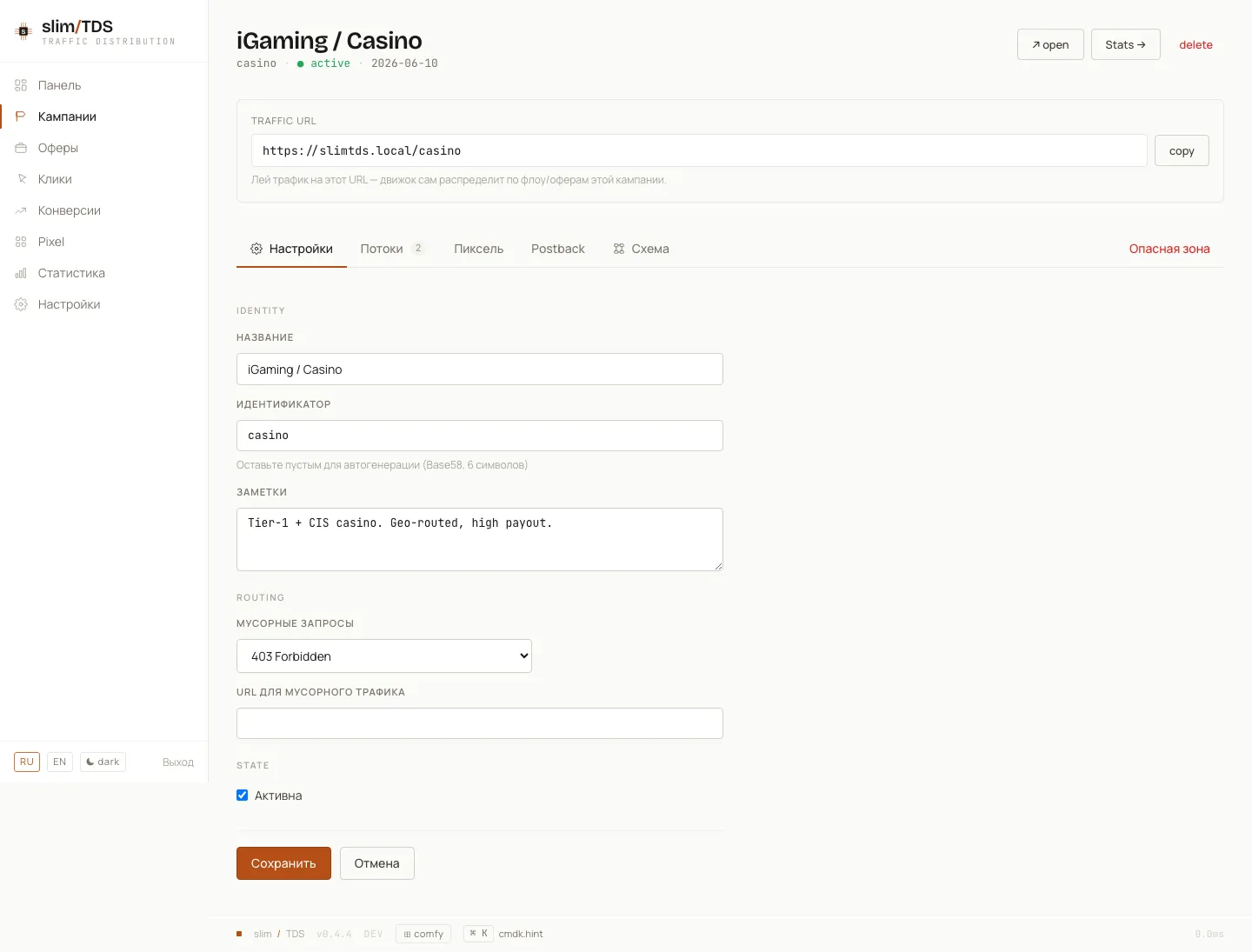
Section titled “Trash traffic”A click that reaches the campaign but matches no flow is “trash” — for example organic from a geo none of your flows target, or a bot you do not want to monetise. The campaign’s trash_mode (0–7) plus trash_url decide what trash gets: a blank 200, a 301/302/307 redirect, a 403, a 404, a meta-refresh, or a JS redirect. Redirect modes fall back to an empty 204 if trash_url is left unset.
trash_url is macro-expanded, so tokens like {country} or {spin:…} work there too. It also accepts an {offer:<name|id>} reference as its whole value — set via the offer dropdown in Settings → Trash — which sends trash to an existing offer’s own (macro-expanded) URL instead of a hand-typed link. The reference resolves by offer UUID first, then by exact name; an unresolvable reference returns 204. The resolved target is recorded as the click’s out_url in the click log. See Macros.
See the full mode table in Traffic Filtering.
A flow is a single routing rule inside the campaign: a set of filters, one or more target offers, and a response schema. Flows are evaluated top to bottom by position (reorder them up/down in the workspace), and the first matching flow wins — so put your most specific flows above your catch-all.
Each flow carries:
name— internal label.weight— an integer 0–1000 used to weight flows relative to one another.is_active— disable a flow without deleting it.
The campaign workspace shows flows as a read-only list. To edit a flow’s filters, offers, and schema you open it on its own dedicated page.
Offers & shares (weights)
Section titled “Offers & shares (weights)”Inside a flow’s Target section you attach one or more offers. Offers are global — the same offer can be reused across many campaigns — so here you are pointing the flow at existing offers. Each target row is an offer dropdown plus a weight field, entered as a percentage.
The weight is the offer’s share of impressions within that flow. Attach two offers at 70 and 30, and roughly 70% of the flow’s traffic goes to the first. The UI sums every row’s weight and warns you when the total is not 100%.
Selection is visitor-stable: the visitor UUID is hashed to a fixed point in the weight distribution, so the same visitor always lands on the same offer on repeat clicks. That keeps your A/B splits clean — a returning visitor never flips between variants. See How a click is handled for the resolution order.
Filters
Section titled “Filters”A flow’s filters are a group builder: conditions are ANDed within a group, and groups are ORed together. Leaving filters empty makes the flow a catch-all that matches everyone — handy as the last flow in the list.
Available fields:
| Group | Fields |
|---|---|
| Geo | country, region, city, asn |
| Client | device, os, browser, lang |
| Quality | is_bot, bot_name, is_uniq |
| Source | referer, referer_domain, utm_source, utm_medium, utm_campaign, utm_term, utm_content |
| Time / IP | time_hour, day_of_week, ip_in_list |
Operators: eq, neq, in, not_in, regex, gt, lt, between, exists. The value control adapts to the field — selects for device/os/browser/lang/day_of_week/booleans, and a text input with a datalist for country and free-text fields.
Worked example — route mobile traffic from Russia and Belarus, or any traffic from Kazakhstan, into one flow:
- Group 1:
country in [ru, by]ANDdevice = mobile - OR Group 2:
country = kz
A visitor matches the flow if they satisfy either group. For the meaning of is_bot and is_uniq, see Traffic Filtering.
Response schema
Section titled “Response schema”The response schema decides how a matched visitor is delivered to the offer. You select one of 16 schema types from a dropdown and fill in its config — nothing is auto-generated.
The types are the 301/302/303/307/308 redirects, Meta Refresh, Double Meta Refresh, iFrame, HTML Page, Show Text, JSON, Curl Proxy, No Action, HTTP Code, Formula, and JS Redirect. A new flow defaults to 302.
Config fields appear contextually for the chosen type:
- a redirect URL — used when the flow has no offer attached (target = none);
- an HTML / text / JSON body for the page-rendering types;
- an HTTP status code (e.g.
403) for the HTTP Code type; - for JS Redirect, a mode (
replace= no browser history entry,assign= keep history) plus a delay in milliseconds.
The full list of schema types is in the schema table.
Diagram
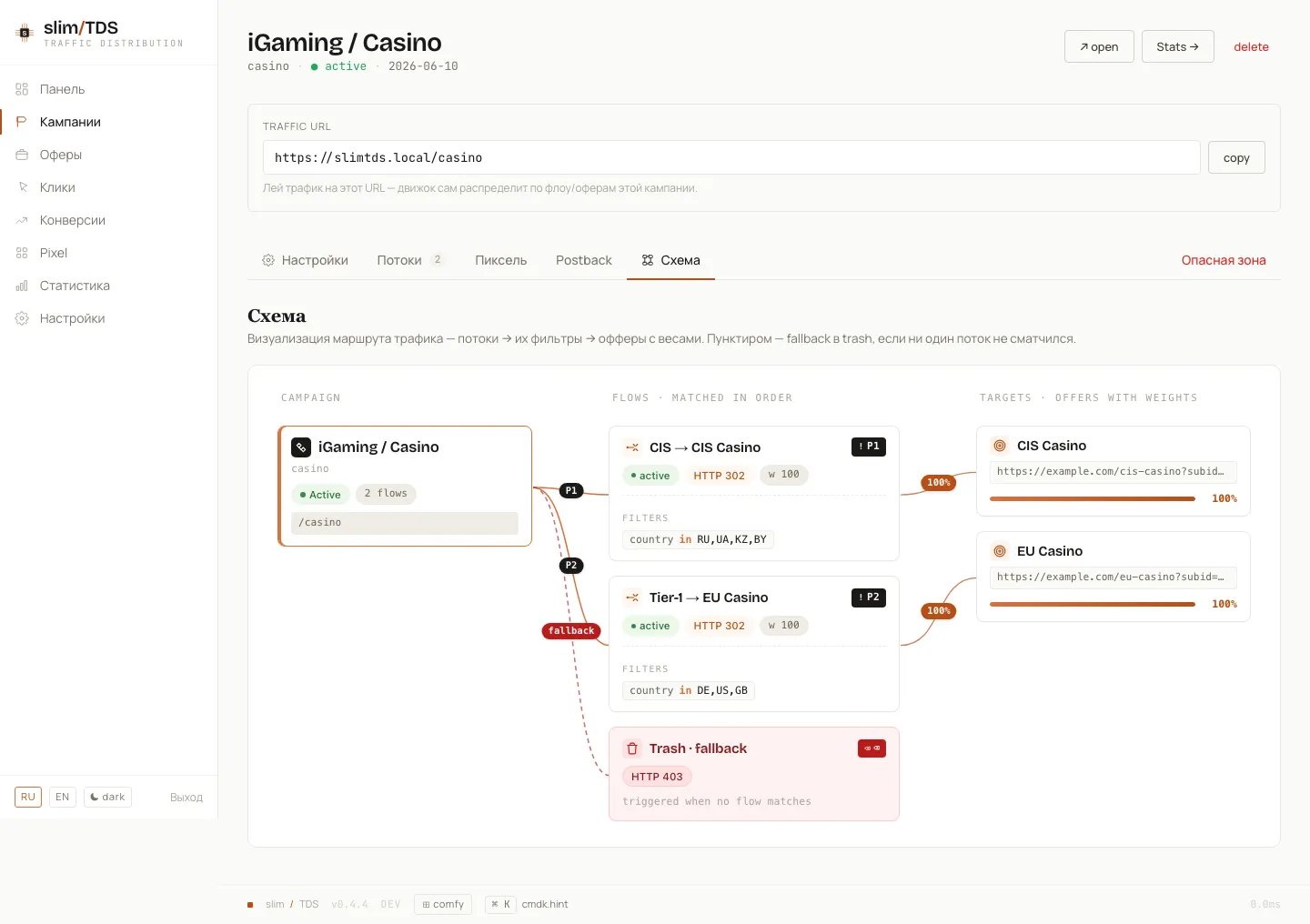
Section titled “Diagram”The workspace Diagram tab visualises the whole campaign in one view: the campaign → its flows (with each flow’s filters) → the target offers as weight bars → and the trash routing. It is the fastest way to sanity-check that traffic lands where you intend before you go live.