
Pixel
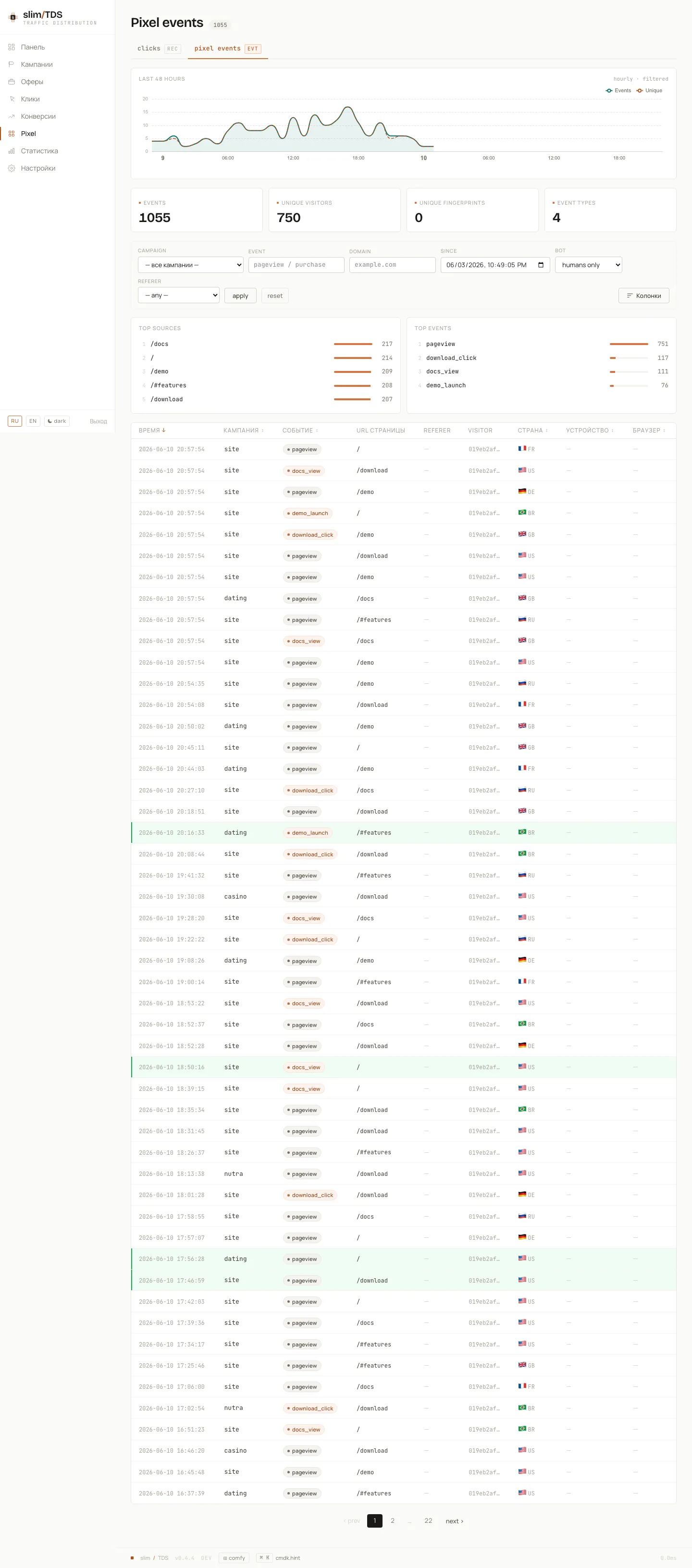
The slimTDS pixel is a lightweight JavaScript snippet that identifies visitors on external lander pages, records page events, and ties those events back to clicks routed through the TDS. It is built on top of FingerprintJS Community Edition.
What the pixel is
Section titled “What the pixel is”GET /p.js serves the compiled pixel script (a Bun build artifact at public/p.js). When the script loads it automatically generates a FingerprintJS CE visitor ID and fires a pageview event to /p/event. The script is served with a 5-minute public cache (Cache-Control: public, max-age=300, stale-while-revalidate=60) and standard ETag-based 304 handling, so repeat loads are fast.
Embedding the pixel
Section titled “Embedding the pixel”Every campaign has a pixel page at /admin/campaigns/{cid}/pixel. That page shows the embed snippet and a copy button. The snippet shape is:
<script async src="https://your-domain.com/p.js?c=CAMPAIGN_SLUG"></script>Place the tag in the <head> or <body> of each lander page. The ?c= query parameter is the campaign slug — it is required and ties events to the correct campaign.
Custom events
Section titled “Custom events”After the script initialises, window.slimTDS.track() is available for custom events. The pixel page shows this example:
window.slimTDS && slimTDS.track('purchase', { amount: 99, sku: 'X1' })The first argument is the event name; the second is an arbitrary props object that will be stored verbatim in the props JSONB column of stats.pixel_events.
Session recording
Section titled “Session recording”Alongside events, the pixel records the visit with rrweb and streams the recording to POST /p/rec in chunks. These become watchable replays in the admin — see Session Replays.
Sending events
Section titled “Sending events”Events are received at POST /p/event. The body can be JSON (Content-Type: application/json) or form-encoded. Accepted fields:
| Field | Type | Notes |
|---|---|---|
c | string | Campaign slug — required |
event | string | Event name (default: pageview) |
fp | string | FingerprintJS CE visitorId |
url | string | Current page URL |
ref | string | Referrer URL |
ua | string | User-Agent (overrides header if set) |
lang | string | Browser language |
tz | string | Timezone string |
sw | int | Screen width |
sh | int | Screen height |
t | int | Client-side Unix timestamp (informational) |
props | object | Arbitrary custom properties |
Responses: 400 if c is missing, 404 if the campaign slug is unknown, 204 on success. A Set-Cookie: vu=… header is included when the request belongs to a new visitor.
/p/event is designed to be called from any external lander domain. The CORS behavior is:
- An OPTIONS preflight to
/p/eventreturns204with permissive headers. - For actual
POSTrequests, the response echoes the requestOriginheader back inAccess-Control-Allow-Origin(rather than*) so the response is valid when the browser sends credentials — this is necessary becausenavigator.sendBeaconwith a typedBlobpayload triggers a credentialed request. - When there is no
Originheader,Access-Control-Allow-Origin: *is used. Access-Control-Allow-Credentials: trueis added when anOriginis present.Access-Control-Max-Age: 86400(24 hours) reduces preflight round-trips.- Allowed methods:
POST, OPTIONS. Allowed headers:Content-Type.
The script itself (GET /p.js) is also served with Access-Control-Allow-Origin: *.
Where events go
Section titled “Where events go”The request handler writes a raw payload row to stats.pixel_events_inbox — an UNLOGGED staging table — and returns immediately. No GeoIP lookup or UA parsing happens in the request path.
The inbox:flush cron command (schedule: * * * * *, every minute) runs a loop inside a single process for ~55 seconds. On each iteration it reads up to 500 rows from the inbox, enriches each one with GeoIP data (MaxMind GeoLite2) and device/OS/browser detection, runs bot detection, then inserts into the partitioned stats.pixel_events table and deletes the processed inbox rows. Because the command re-polls every 5 seconds when the inbox is empty, events typically surface in the admin within 5–6 seconds of arrival.
As a side effect of the drain, if the pixel event carries a FingerprintJS visitorId and the visitor had a recent click logged before the inbox was flushed, inbox:flush backfills fp_js onto those click rows so the two identities are joined retroactively.